Great lot, uncertain first brew
A generic recipe does not account for the exact coffee, its processing or what the customer wants to highlight in the cup.
Are you a roaster, coffee e-shop, café selling retail bags, or a specialist coffee retailer? Then you are in the right place.
Add a QR profile to a specific coffee and give the customer a practical starting point for brewing. They scan the bag, review the profile and, after one explicit confirmation, continue into the actual Pourly brew guide.
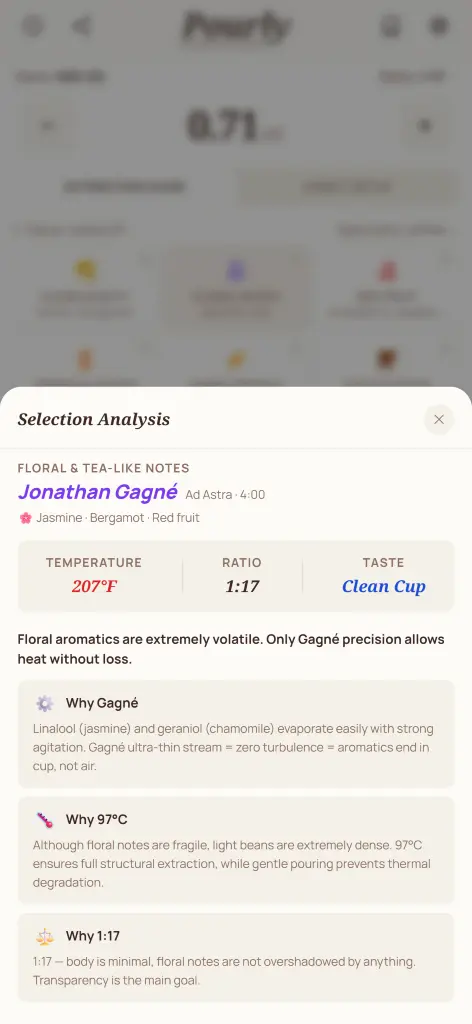
light roast · washed
jasmine · bergamot · peach
Prefer not to send customers to an app? By arrangement, we can prepare recommended settings and recipes for your coffees to use on your website, in your online store or on an enclosed card. No QR profile or need to use Pourly. Scope, output format and terms are agreed individually.
The label tells the origin, processing and tasting notes. At brew time, the customer is often left with one question: where do I start?
A generic recipe does not account for the exact coffee, its processing or what the customer wants to highlight in the cup.
Only a short recommendation fits on a bag. A QR profile adds a practical next step without crowding the packaging.
Pourly connects the physical bag, the e-shop and the actual brew with one live profile for that coffee.
The goal is not to promise a perfect cup, but to give the customer a sensible starting point instead of random trial and error.
Not another generic link. A specific profile that continues the work you started with sourcing, roasting and describing the coffee.
The QR leads to an actionable recommendation instead of a generic homepage.
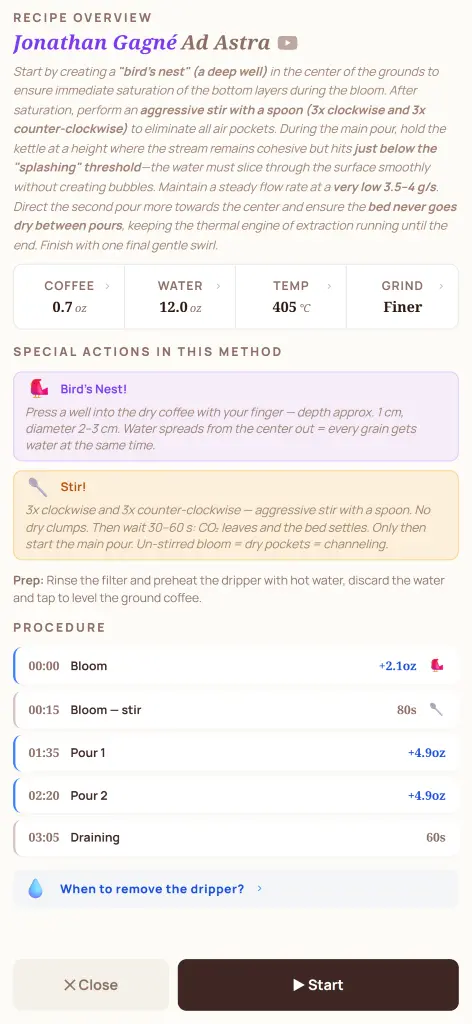
The customer gets settings tied to the specific lot, its notes and processing.
After confirmation, the coffee is saved to My coffees with the partner recommendation. Customers return to it from their library and track remaining stock.
Add the QR to a label, insert card, product page or tasting set.
Start manually with a few profiles. Automate only when the catalogue creates a real need.
Profile content can change while keeping the same public identifier and link.
A pilot does not require a developer or an integration project. Start with the facts you already have on the label or in your catalogue.
For a pilot, coffee name, roaster and one to three tasting notes are enough.
The profile gets its own public link and a QR suitable for print.
On the label, product card, tasting set or e-shop.
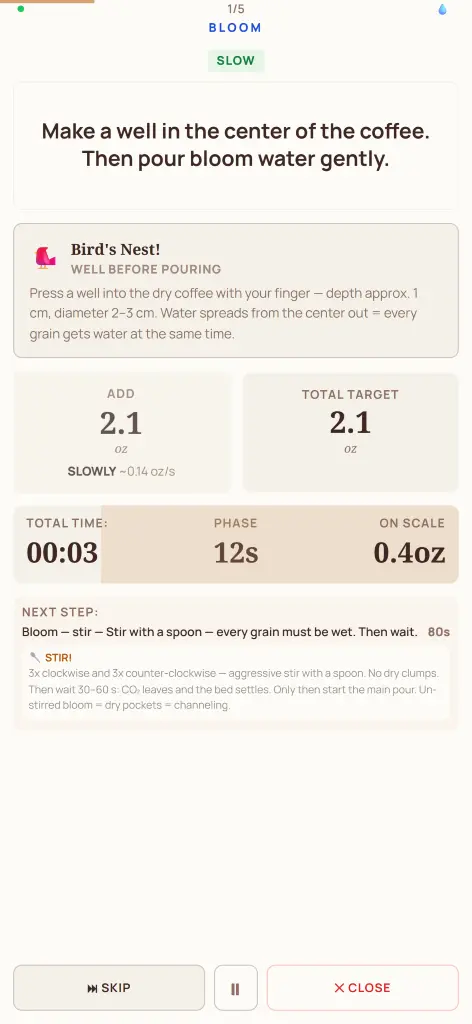
Customers confirm the preview, add the coffee to My coffees and continue to guided brewing.
This demo uses the public Ethiopia Chelbesa profile. Roast Lab is clearly shown here as a demo brand only.
Light roast · Washed · V60
The same profile can live on the bag, an insert card and the e-shop product page.
The QR does not contain the full recipe. It points to a live public profile whose content can later be updated while keeping the same identifier.
Open profile in a new tab →The customer first sees which coffee and data the profile contains. Scanning alone never applies settings.
Apply recommendationThe coffee and partner recommendation stay in My coffees. A timer guides brewing, then the thermal assistant estimates cooling toward the chosen drinking temperature.
coffee name · roaster · 1–3 tasting notes
external product ID · processing · roast level · filter use · device · flavour goal · method · ratio · temperature · product link
You do not need to change your sales process. Put the profile where the customer already encounters the specific coffee.
Put the QR directly on the specific coffee, ready for the moment the customer opens the bag and starts thinking about brewing.
Add the profile to the shipment without changing the label. Useful for new releases, limited lots and tasting orders.
Place an action beside the coffee description that opens its profile and turns product data into practical Pourly settings.
Give each coffee in the set its own profile so customers do not have to search for guidance for every sample separately.
A QR next to a retail or café coffee pack connects the physical presentation with concrete guidance for brewing it at home.
The QR does not even need to be visible online. The same live profile can open from a simple “Brew in Pourly” button on the product page.
The main path today is a manual pilot. Larger catalogues can later move to regular catalogue management or a pilot integration.
For a few current coffees. I prepare profiles from your data, we review them together and you receive the QR outputs.
Manage coffees in your own account, choose Pourly recommendations or custom settings and download QR codes. The dashboard shows profile opens, accepted recommendations and completed brews.
For a larger e-shop or marketplace, we can design an integration around your catalogue. A public self-service write API is not a finished product yet.
Preparing with pilot partners · integration scope depends on the catalogue
For the first validation, choose a few coffees and send the data you already use on labels or product pages. I will prepare the profiles and QR outputs, then we will review whether the recommendations fit how you want to present the coffees. Automation only makes sense once the pilot works for you and your customers.
Not for a manual pilot. Send data for a few coffees and the profiles can be prepared manually.
No, not to open and use a public profile.
The profile can contain a method or manual settings if that option is available in Pourly.
Yes. Profile content can be updated while keeping the same public identifier and link.
No. Pourly supports multiple devices; its broadest range is currently on V60.
Pourly rules work with tasting notes and other coffee facts. It is not generative AI freely inventing a recipe.
For larger catalogues we can design a pilot integration. Scope depends on your product data and catalogue workflow.
Yes. The partner portal displays recorded QR profile opens, accepted recommendations and completed brews for the last 30 days. These are events recorded by the app, not a count of every physical scan.
This is more than a single recipe. Pourly turns the facts about a specific coffee into usable starting settings — device, method, ratio, temperature and grind — then guides the customer through the brew step by step. Tell me how many coffees you would like to test and where you would use the profile.